



The Monitor page displays the DataForge Application Server information and statistics, as well as cumulative jobs statistics.
ForgeManager
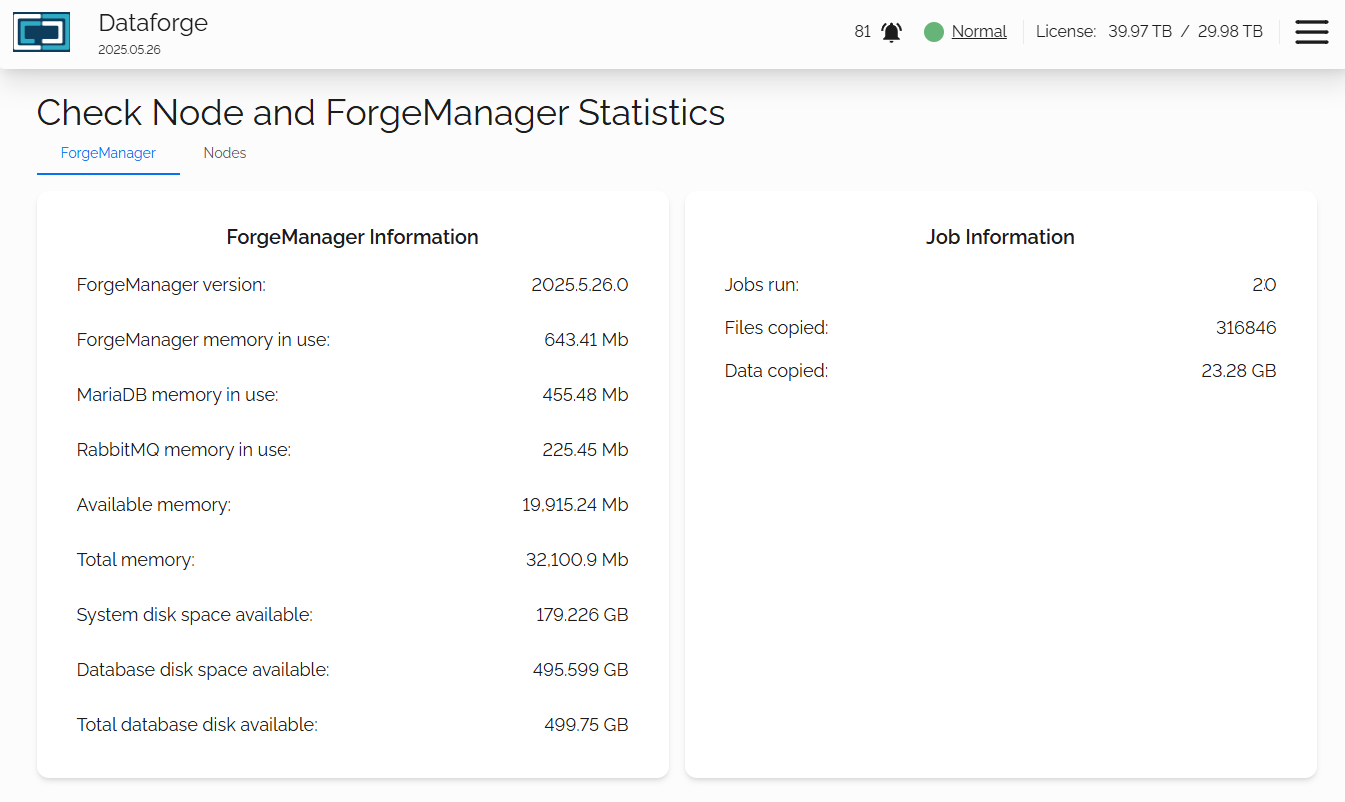
ForgeManager Information
This information tile will show the resources for the DataForge Application server and the cumulative job statistics.
ForgeManager Version
The DataForge OVA supplied for installation will have a front-end and back-end. This version represents the back-end version, the DataForge Server.
The front-end version, the Web UI, is displayed on the top-left of every page.

ForgeManager memory in use
The total memory resources the DataForge Application Server is utilizing.
MariaDB memory in use
The total memory resources the MariaDB Server is utilizing.
RabbitMQ memory in use
The total memory resources the RabbitMQ Server is utilizing.
Available memory
How much free memory is available to the system.
Total memory
How much memory has been provisioned to the DataForge Server virtual machine.
System disk space available
How much free space is available to the operating system partition.
Database disk space available
How much free space is available to the secondary storage disk, which is used as the MariaDB database store.
Total disk space available
A cumulative sum of both OS and data disks.
Job Information
This will show you the sum of jobs, objects and storage migrated across all jobs run.
Nodes
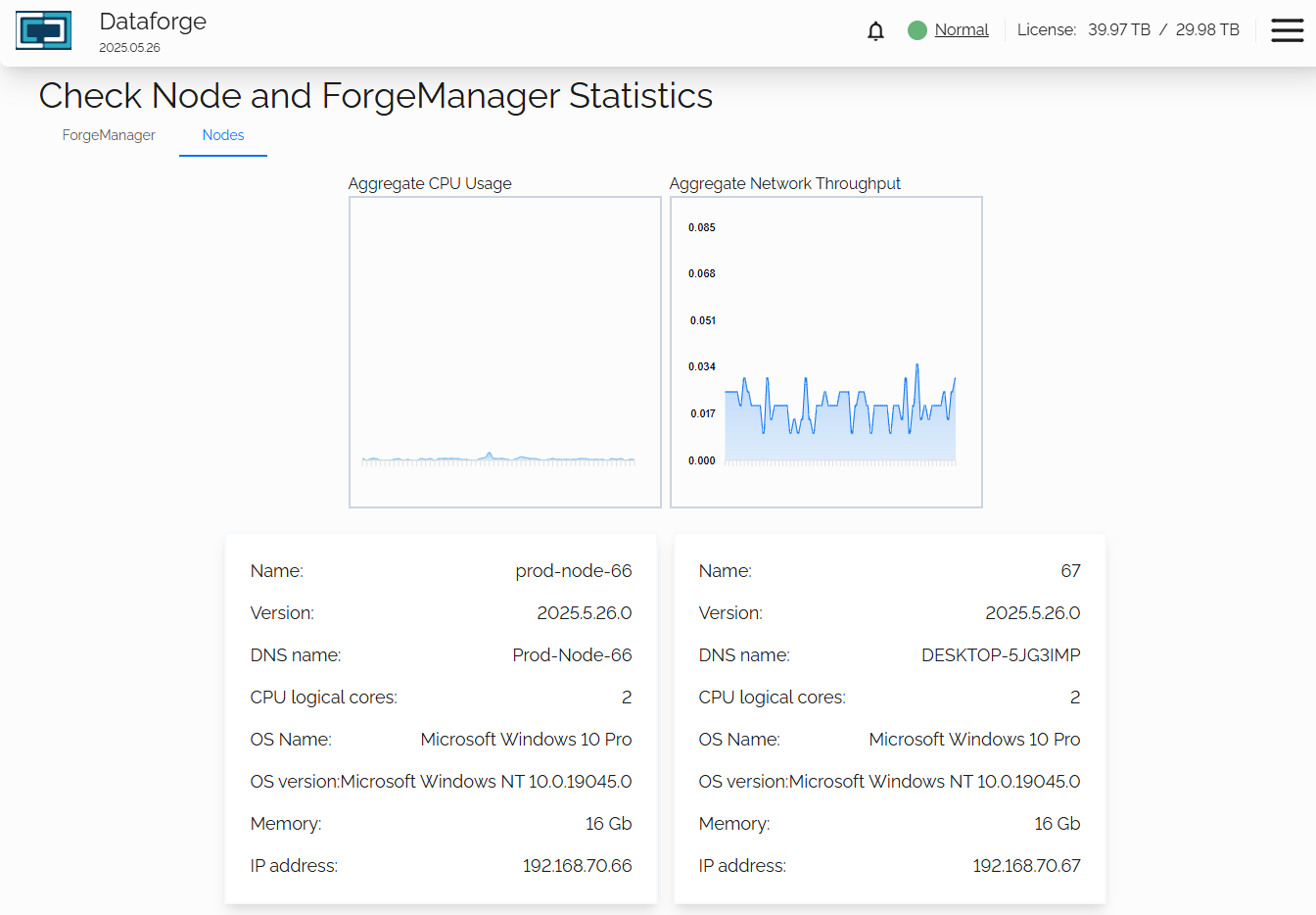
Aggregate Information
These tiles show you the current utilization of of both CPU and network usage across all nodes. This information is not specific to DataForge, but gathered from the Windows environment. With no jobs running, you will still see utilization for both as the Windows system itself may be using resources.
The Aggregate Network Throughput is shown in megabits per second.
Node Tile Information
For each node you have installed, you will see an information tile.
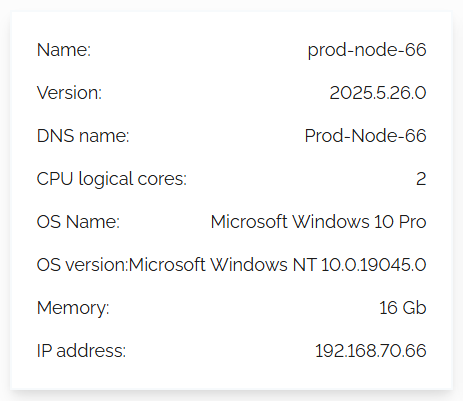
Name
The name of the node used in the node configuration file. This will help in identification.
Version
This is the software version of the migration node. In major releases this should match the front-end and back-end versions, but minor releases and hot fixes may show different information.
Please note: All migration nodes should be at the identical version. If you are issued a migration node software update, please update all provisioned nodes.
DNS name
This information is the Windows computer name / NetBIOS name of the provisioned Windows VM used for the migration node software.
Please note: All migration node VMs should be named uniquely to avoid issues.
CPU logical cores
This displays how many logical CPU cores were provisioned to the Windows VM.
OS Name
The Microsoft defined Windows version name. This information is gathered from the Windows VM environment and cannot be changed with DataForge.
OS version
The Microsoft defined Windows version number. This information is gathered from the Windows VM environment and cannot be changed with DataForge.
Memory
This displays how much memory (RAM) that was provisioned to the Windows VM.
IP Address
The network address assigned to the Windows VM after provisioning.
Node Information
When you click on a node's tile information, a pop-up window will appear with a more detailed view of the specific resources utilized by that node.
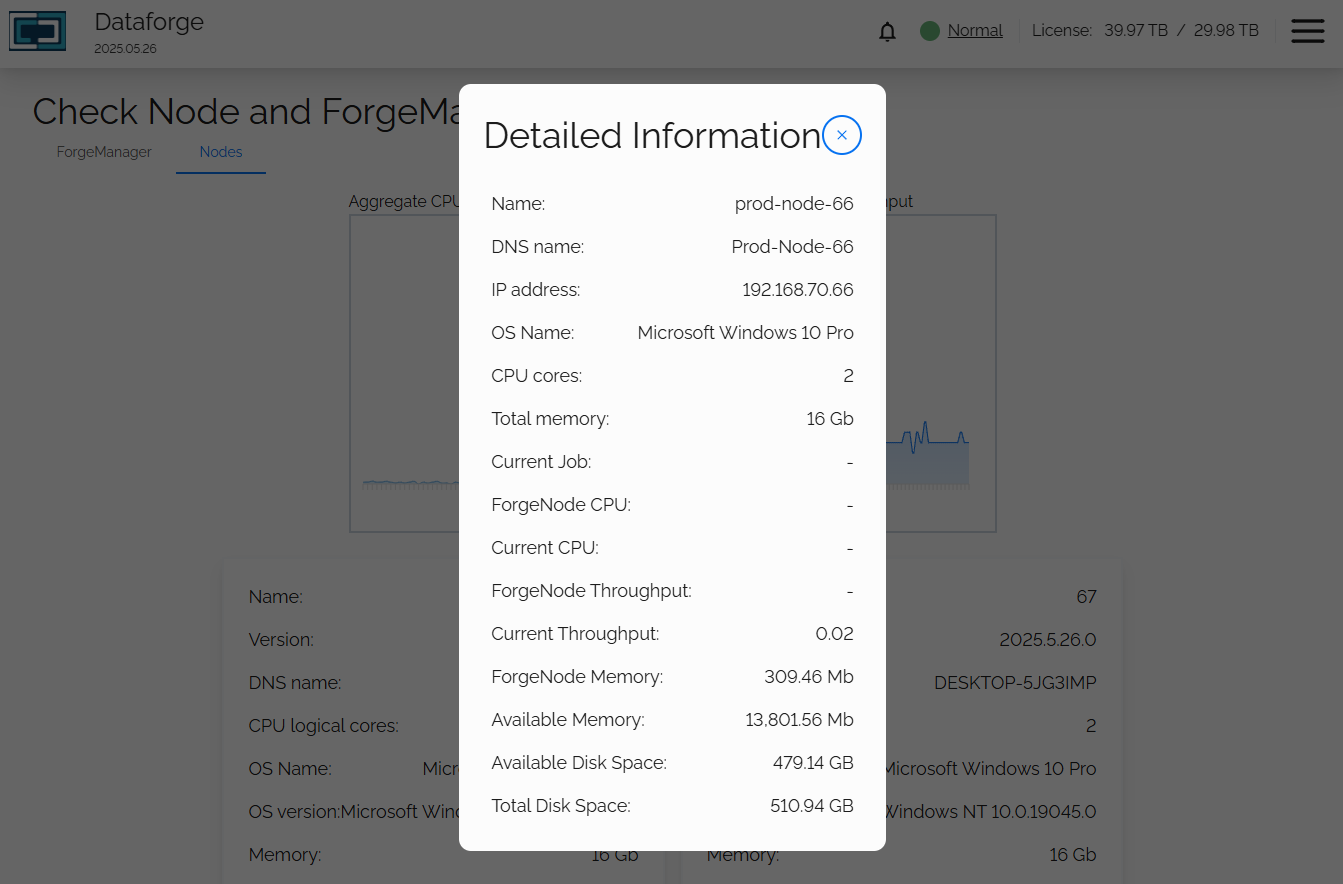
Detailed Information
This more detailed view adds the following information
Current Job
The current job name this node is processing objects for.
ForgeNode CPU
The CPU usage of the DataForge migration node software.
Current CPU
The migration node Windows VM CPU global utilization.
ForgeNode Throughput
The network usage of the DataForge migration node software.
Current Throughput
The migration node Windows VM network global utilization.
ForgeNode Memory
The memory usage of the DataForge migration node software.
Available Memory
The migration node Windows VM network global utilization.
Available Disk Space
Free space of the Windows VM storage disk.
Total Disk Space
The Windows VM provisioned OS disk capacity.

