



One organization name is permitted for each DataForge Application Server installation and is used for identification purposes. In general, a single DataForge instance can be your organization's name. If you deploy multiple instances of DataForge in the same environment for parallel migrations, you can create create an organization name with subtle variants if you would like.
Examples:
- Single DataForge instance: My Company Name
- Multiple DataForge instances:
- Instance #1: My Company Name - Region A
- Instance #2: My Company Name - Region B
- Instance #3: My Company Name - Region C
The first time you open DataForge, the Create an organization page appears. Enter your organization’s name in the Organization Name field and press Add Organization.
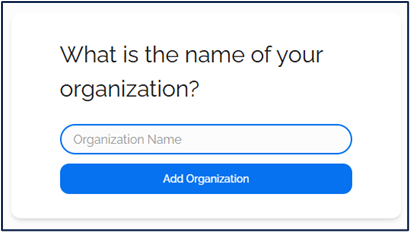
Your organization is now set up and user accounts can be created if necessary.
See: User Management for more information
Change your organization name
Changing your organization name will not affect any currently active migration jobs.
- Click the Settings Menu (3 lines, top right)
- Click User Management
You will see this screen:
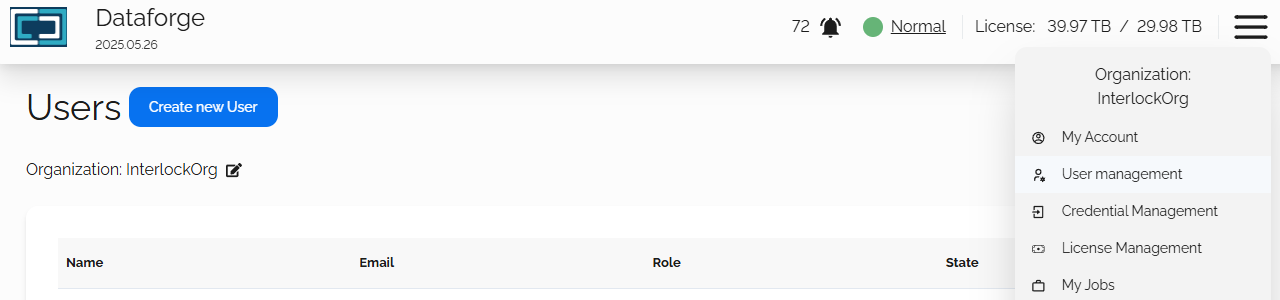
- Click on the edit icon to the right of your organization name
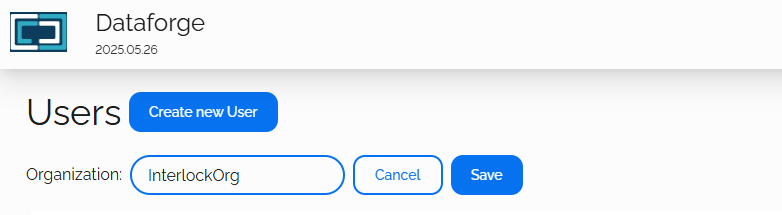
- Update your organization name
- Click the Save button

